Materio is now in your AI
Your AI assistant can now read your Materio notes, pull up question banks, and answer from your actual syllabus - not just the internet. We're launching MCP connectors for Claude and ChatGPT, and here's how to get started.
Introducing MCP connectors for Claude and ChatGPT
We built Materio to solve a simple problem: study materials at university are scattered, inconsistent, and hard to find when you actually need them. Over time, it grew into something more structured — organized by semester, subject, and topic, with chapters, question banks, previous year papers, assignments, and reference books all in one place.
Today, we’re taking it a step further.
Materio now connects directly to Claude and ChatGPT through MCP (Model Context Protocol) connectors. This means your AI assistant can reach into Materio’s entire library, in real time, right inside your conversation.
See it in Action
[video: /assets/media/4f18615d-61b5-444b-9b31-7570824f5910.webm]
What This Actually Means
Before this, using Materio alongside an AI meant jumping between tabs. You’d open a PDF, copy what you needed, paste it somewhere, and ask your question. It worked, but it was friction.
With the MCP connector active, that friction disappears.
You can ask Claude or ChatGPT something like “explain deadlocks from my Operating Systems notes” and it will pull the actual chapter from Materio, read it, and answer based on what your course material says. Not a generic internet answer. Your syllabus, your semester, your subject.
What the Connector Can Do
The Materio MCP connector gives your AI assistant five capabilities:
Search across the library. Ask about any topic and the connector will find relevant resources across all semesters and subjects instantly.
List available resources. Browsing what’s available for a specific semester is a single question away. Want to see everything in Semester 6? Done.
Get a subject overview. The connector can pull up the full scope of material for any subject, showing every chapter, assignment, question bank, and previous year paper available.
Read and reason over PDFs. The connector fetches the actual content of any PDF in the library, so your AI isn’t guessing. It’s reading the same notes you study from.
Direct links. Get a clean, direct link to any resource that opens it in the Materio viewer, ready to share or revisit.
The Library It Has Access To
This isn’t a small dataset. The Materio library currently spans Semester 1 through 6 totaling over 800+ PDFs, covering subjects like DBMS, Operating Systems, Computer Networks, Java, Python, Machine Learning, Compiler Design, MEAN Stack, AWS, Software Engineering, and more.
For many subjects, the library goes beyond just chapter notes. It includes multiple question banks, previous year exam papers going back several years, lab manuals, assignments with solutions, lecture notes, and reference books.
When your AI assistant can access all of this mid-conversation, studying stops feeling like research and starts feeling like a conversation with someone who actually knows your coursework.
Continuous Shared Context
Here’s something worth calling out separately. If you’re reading a PDF inside Materio and want AI help with it, you don’t need to copy anything or describe what you’re looking at.
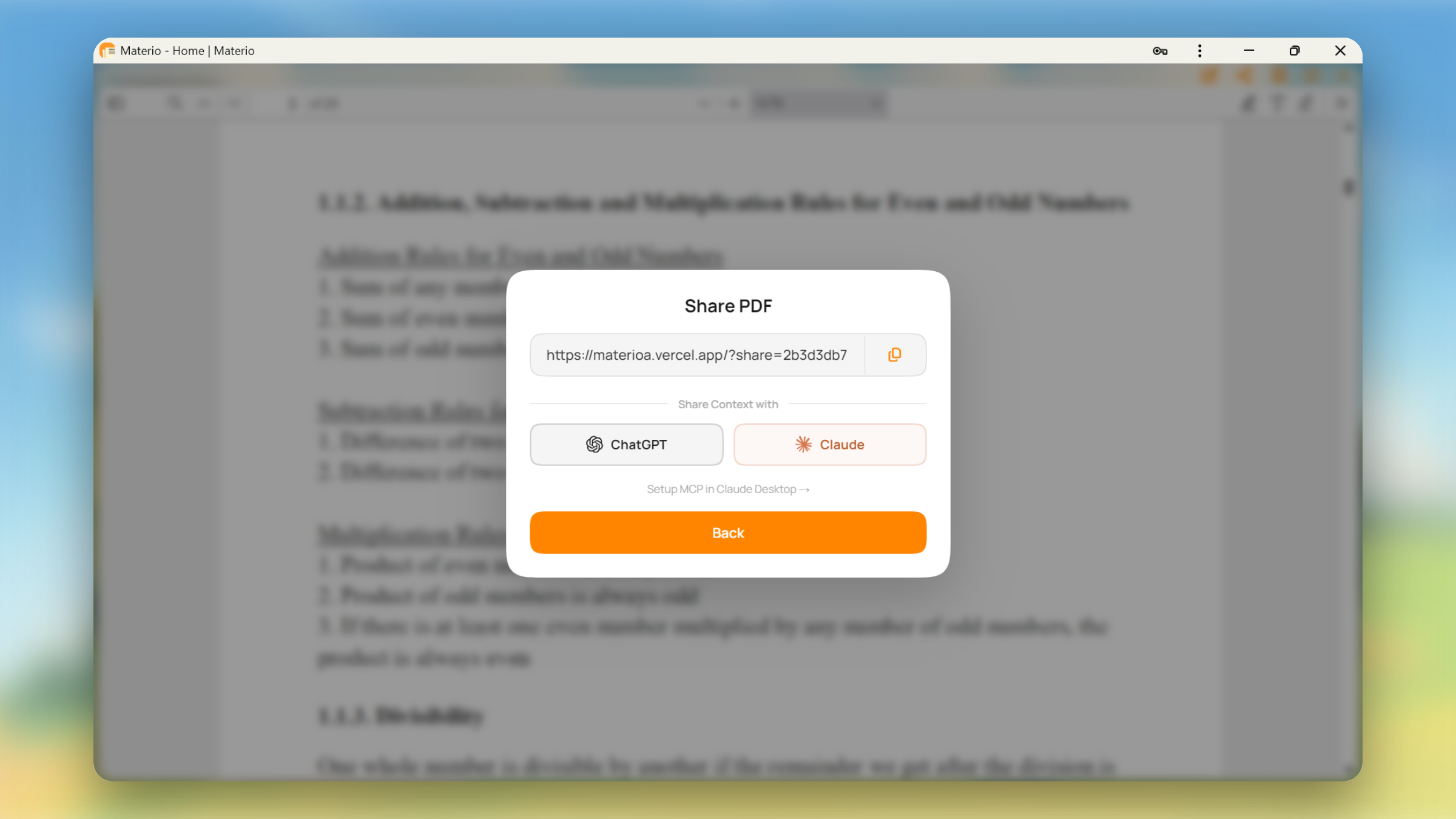
Every PDF in Materio has a Share button. Clicking it gives you two options alongside the usual shareable link: Open in ChatGPT and Open in Claude. Either button takes you directly into the respective AI with a pre-filled prompt that tells it exactly which PDF you were reading, which semester it’s from, and what subject it belongs to.
The AI then uses the MCP connector to pull up that exact resource and picks up right where you left off. No copy-pasting, no context-setting, no tab switching. You’re reading, you have a question, you click, and the AI already knows what you’re working on.
How to Connect It
We have written a detailed guide on how to connect Materio to Claude and ChatGPT. You can find it here: Setting Up Materio MCP for Claude and ChatGPT
What’s Next
This is the first version of the connector. The goal right now is to make it reliable and genuinely useful for everyday studying. Based on how people use it, we’ll expand what it can do — including better handling for cross-subject queries, smarter search, and tighter integration with the Materio viewer.
If you run into anything or have ideas, we’re listening.