What We Shipped - December 1st
This week Materio moved to vercel, launched Materio Originals, and feature drops to like Native dark-mode to PDFs with inversion filter, addition of the table of contents sidebar to the insightroom

A New Home for Materio’s Reliability
This week marks an important milestone for Materio. After months of growth, higher traffic, and increasing demand from students across multiple semesters, Materio has officially shifted its deployment to Vercel.
This is more than just a hosting change. It’s a strategic upgrade to speed, reliability, and long-term scalability. 
Why Move to Vercel?
Materio has been steadily expanding — more users, more PDFs, more interactions, and more load on the platform. The previous deployment setup had started showing limits, especially with:
Heavy static asset delivery, constantly updating databases and More edge functions incoming (auth, search, analytics)
Vercel provides a modern setup that aligns perfectly with Materio’s goals. The move brings noticeably faster load times, smoother navigation, and a more stable experience overall, especially during peak exam traffic. Updates now ship instantly with zero downtime, and every new feature can be tested safely through automatic preview builds before going live.
Behind the scenes, this migration gives Materio a stronger foundation for upcoming features, cleaner development workflows, and better long-term scalability as more students rely on the platform.
Introducing Materio Originals
 A brand-new category of resources created, curated, and refined entirely by Materio - to help students understand concepts faster and more clearly.
We just published the first Materio Original in Quant and Resoning, which you can read - Number System complete with:
- A clean printable format which you can print yourself or get pre-made PDF linearized for fast web view.
Clear explanations designed specifically for university syllabus. Fully optimized formatting for revision and exam preparations.
This marks the beginning of a new phase for Materio: original, high-quality academic content made for students, by Materio.
Table of contents sidebar
Insightroom just became a lot more pleasant to read. This week, we introduced a fully dynamic table of contents sidebar that automatically maps every heading inside a post and turns it into an easy-to-use navigation panel. Instead of scrolling endlessly to find a specific section, you can now glide through long posts with a single click.
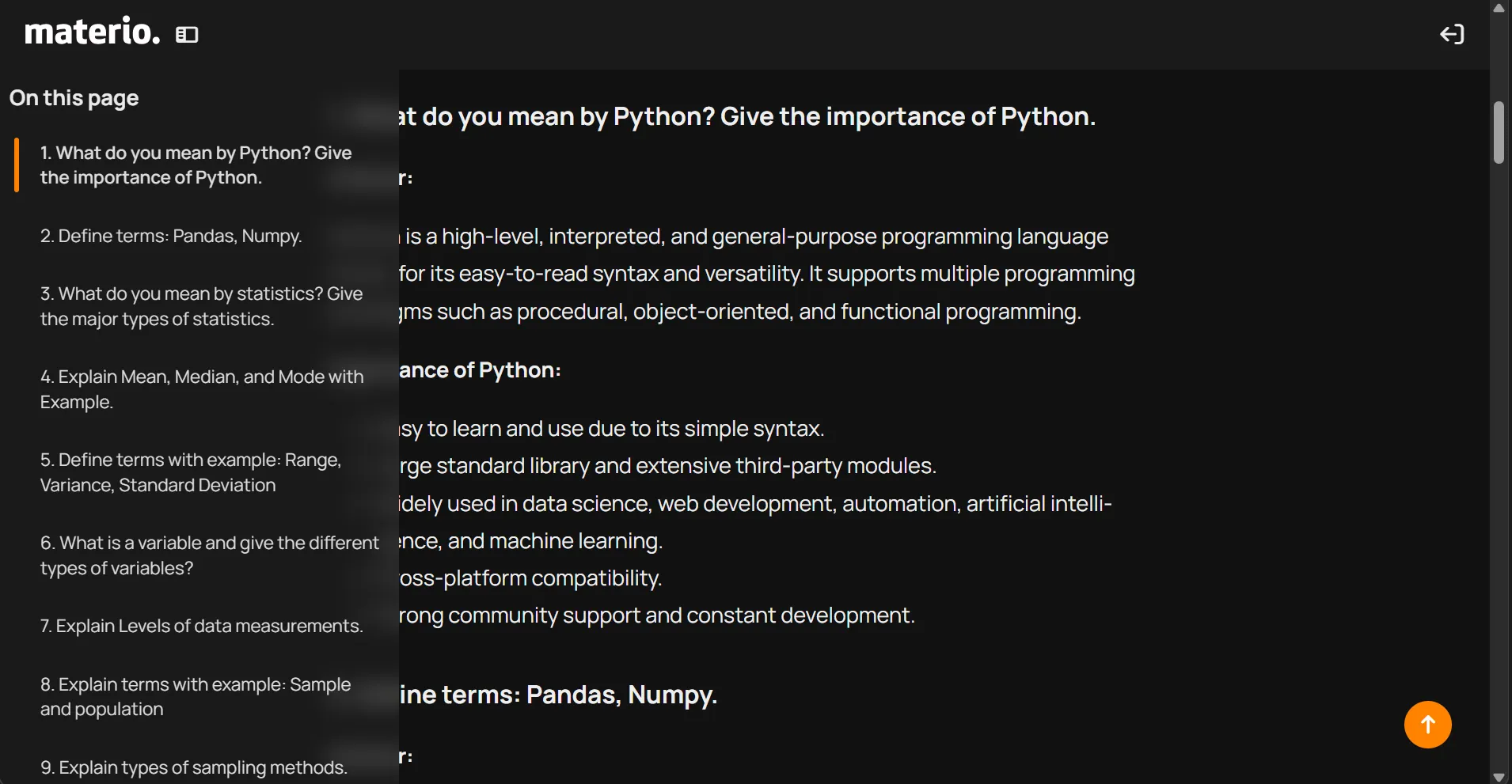
The sidebar quietly sits beside the content and updates in real time while you read, highlighting your current section so you always know where you are in the article. It’s especially helpful for extended deep-dives, multi-topic breakdowns, and any of the longer Materio Originals posts that usually pack a lot of detail.
What makes this change feel even smoother is how unobtrusive it is. The layout stays clean, the reading flow feels natural, and you get the convenience of structured navigation without anything blocking or crowding the page. With this update, Insightroom moves closer to a proper reading environment – one that respects your focus while still giving you quick, precise control over where you want to go in the article.
If you read lengthy posts often or revisit specific explanations for exam prep, this quality-of-life upgrade will make a noticeable difference. Insightroom now feels faster to explore, easier to reference, and far more organized than before.
Inversion Filter in OpenReader viewer
Comfort reading for long study sessions.
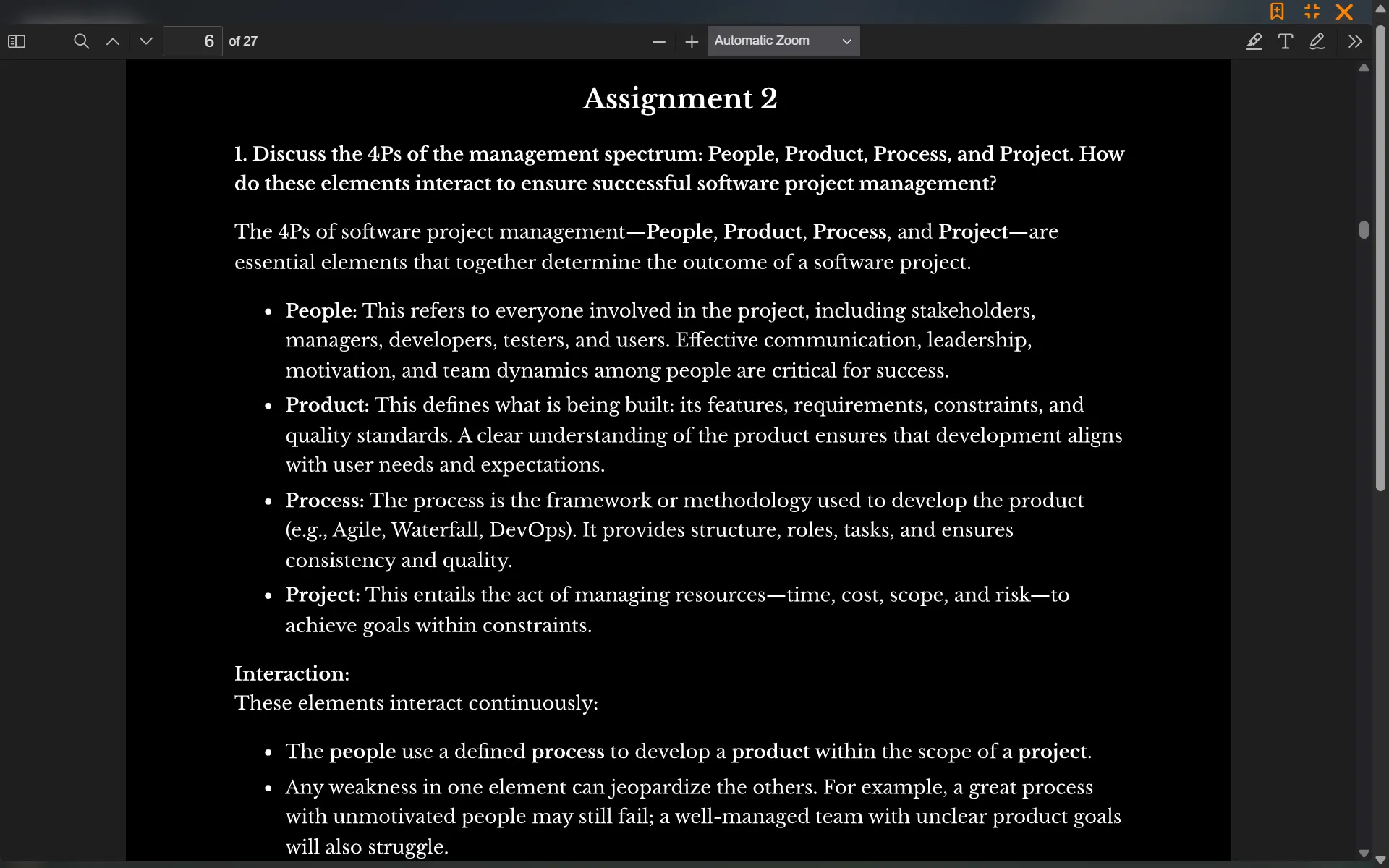
Reading long academic PDFs late at night can be exhausting. Bright white pages strain the eyes, especially when you’re switching between dark UI themes and a glowing document. To solve this, OpenReader now supports an Inversion Filter that smartly flips document colors for a comfortable, night-friendly reading experience.

The filter can be toggled from settings tab where the filter is listed under Reading Modes.
here’s a preview of the inversion filter
Other changes
This update includes fixes for various bugs and issues accross the site. Few of the known bugs which are addressed here are:
- Issue with service worker which constantly cached files which introduced lag and degraded performance and increased usage of edge requests, This issue also included some cases where tools like Internet Download Manager (IDM) were constantly getting a trigger to download
compressed-tracemonkey-pldi-09.pdfwhich is essentially a left behind sample file which comes bundled with pdfjs. - Health indicator falsely indicating ‘degraded’ health.
- The OpenReader has been optimised by removing unneccessary files and compiling individual icons to a single css file reducing overhead on load and offers faster loading.
- Fixed Scroll-shake issue in insightroom.
Encountered Glitch or weird bug’s ?
Examples:
- Still showing old semester data / Site is stuck in old state.
- Still facing scroll-shake issues ?
You might need to clear the site data once and check if the issues still persists, Here’s how you can clear data and old cache. [video:/assets/media/0d862b05-559b-44c6-b8fa-c9207d1ddfd1.webm]
If you’re still facing issues after clearing the data then you can raise an issue on the Github Repo.