What We Shipped - December 28th
Materio rolled out keyboard shortcuts - a new way to interact and navigate, Option to set disable and set different views for insightroom feed, Smart dark mode and pure light mode, Improved search UI and bunch of stability and performance fixes.
Keyboard Shortcuts
[video: /assets/media/d800e899-1803-4f3a-8652-c7c6ec9ee4a6.webm: shortcuts-preview]
Materio now supports keyboard shortcuts on desktop to make navigation, reading, and everyday actions faster and more fluid.
Shortcuts follow simple, predictable patterns so you can move between sections, open PDFs, toggle reading modes, search instantly, and switch views without breaking focus.
All shortcuts are fully customizable. You can remap keys to match your workflow or reset everything back to the default layout at any time.
Press Shift + ? to open the complete shortcuts guide whenever you need it.
This update makes Materio feel faster, smoother, and more efficient during long study sessions.
You can also set custom keybinds by clicking on , registering your new shortcut, and saving your changes.
Improved Home & Search UI
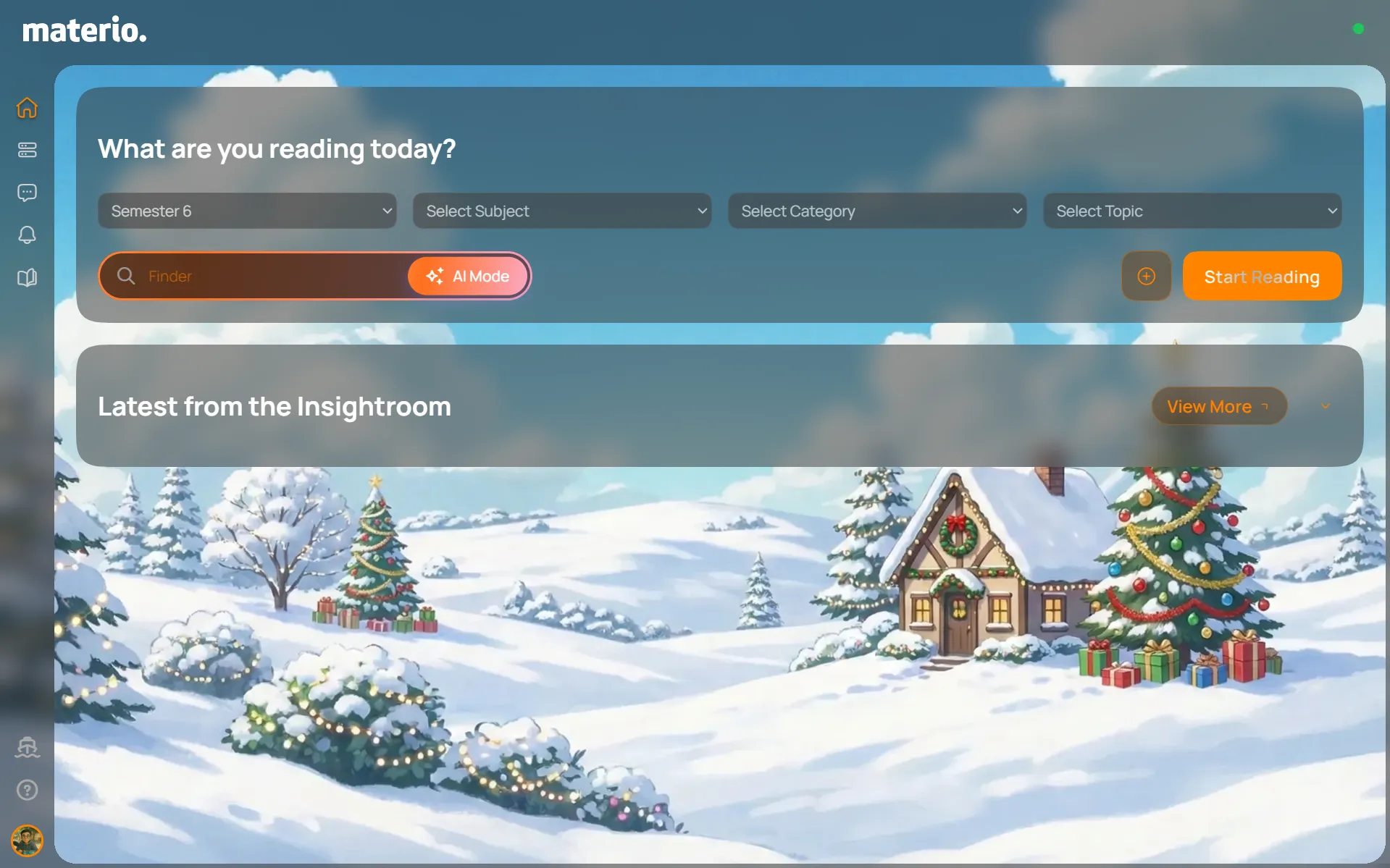
The Home UI has been refined to feel cleaner, calmer, and more consistent, built on the Serene Utility design system. Rounded corners, improved padding, and better spacing bring a smoother visual flow across sections, making the interface feel more intentional and easy on the eyes. New utility icons enhance discoverability, with the question mark providing quick access to keyboard shortcuts and the ship icon linking to the changelog, so users can stay productive and informed without friction. Overall, the update focuses on clarity, balance, and everyday usability.
The search interface has been refined for improved clarity and ease of use. A new button allows you to instantly clear or cancel your search query, reducing friction during repeated searches. On mobile devices, search results no longer overlap the search bar, resulting in a cleaner layout and better visibility while browsing and refining results.
Smart Dark Mode

Smart Dark Mode automatically switches between light and dark themes based on the time of day.
This helps the interface blend better with dynamic wallpapers and reduces eye strain caused by harsh color contrasts.
Smart Dark Mode works when the system theme is set to light or when the website is manually set to light mode. When dark mode is toggled off, Materio automatically switches to dark mode around 7:00 PM and returns to light mode around 6:45 AM.
Pure Light Mode
If you prefer a consistent experience, you can enable Pure Light Mode. This disables Smart Dark Mode entirely and keeps the interface in light mode throughout the day.
Insightroom Feed View Options
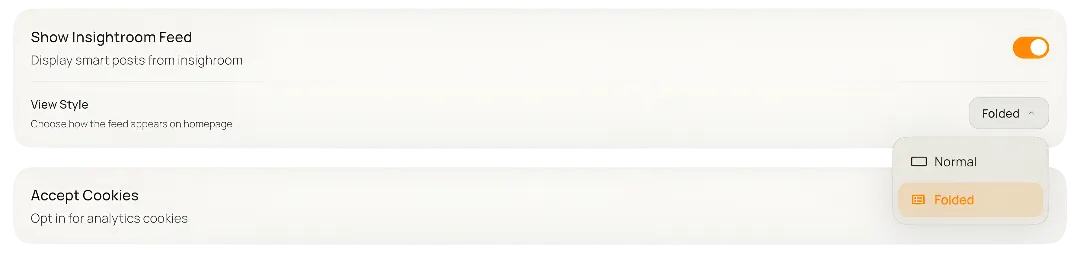
The homepage includes the Insightroom feed by default, showing the latest reads such as assignments, cheat sheets, question banks, PYQ solutions, Materio Originals, and smart suggestions based on the selected subject.
This update introduces controls to disable the feed or change how it appears.
Available views:
1. Normal The default view showing the latest five Insightroom posts with preview images, titles, and excerpts.
2. Folded A minimal, non intrusive view that displays only the heading “Latest from the Insightroom”. Clicking the heading expands the feed and clicking again collapses it.
Expanded Paper Mode Textures
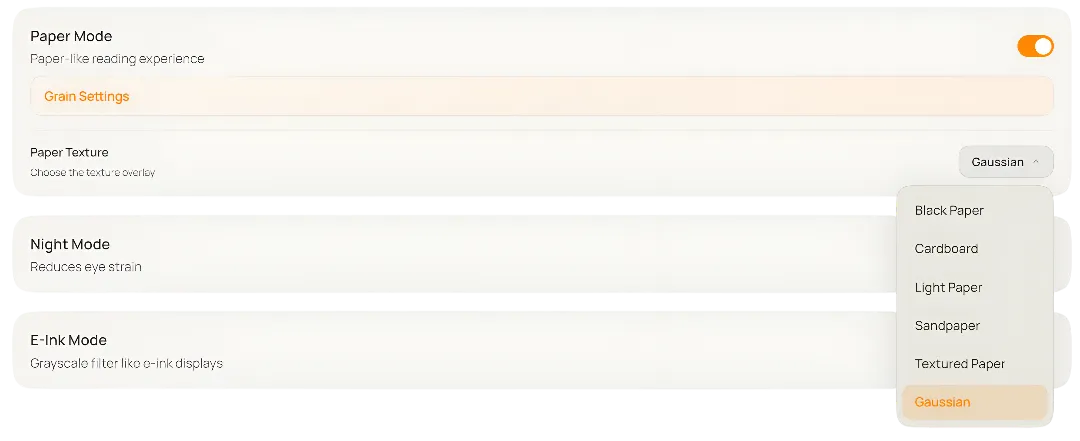
Paper Mode delivers a more natural, strain free reading experience, especially when combined with E Ink reading mode.
You can now choose from a wider range of paper textures:
- Black Paper
- Cardboard
- Light Paper
- Sandpaper
- Textured Paper
- Gaussian